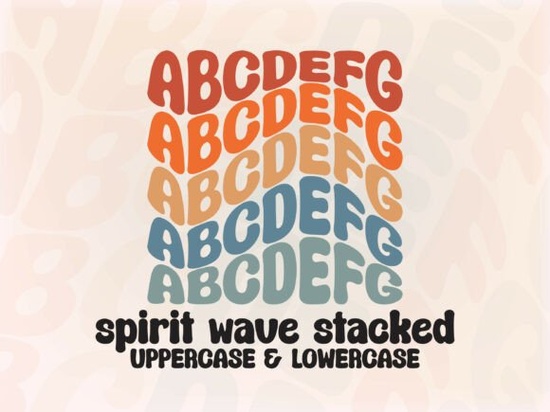
If you work with bold display typography, you’ve probably seen bubble fonts and stacked fonts before. But the Spiritwavestacked Font adds something extra – a wavy, fluid motion across every letter. It’s a stacked bubble font where each character sits on its own wave, giving your text a retro, almost hypnotic feel. Perfect for t-shirt designs, album art, poster layouts, and social media posts where you want the words to catch attention.
What makes the wavy stacked effect different from regular bubble fonts?
Standard bubble fonts are round and bouncy, but they usually sit flat on a baseline. Spirit Wave takes that concept and adds a continuous wave that runs through both uppercase and lowercase letters. This creates a sense of movement and energy, like the letters are floating or vibrating. The stacked style also means each line of text fits tightly together, which works beautifully for short, punchy phrases – think brand names, quotes, or logos.
Another difference is the hand-drawn, imperfect feel. The curves aren’t mechanical; they have a playful, almost chalk-like quality that adds charm. For crafters and print-on-demand sellers, this makes the font feel more authentic and less generic. It’s the kind of detail that makes a design look custom.
How can I use this font for t-shirt designs and branding?
The wavy stacked style is ideal for retro-themed projects. Try it on:
- T-shirts – especially for streetwear or 90s-inspired designs. The wave effect draws the eye and fits well with bold graphics.
- Album covers and posters – for music genres like surf rock, vaporwave, or lo-fi. The bubbly waves match those nostalgic aesthetics.
- Social media graphics – use it for Instagram stories or YouTube thumbnails where you need text that stands out quickly.
- Branding for small businesses – ice cream shops, toy stores, or any brand with a fun, playful identity. The font adds personality without being messy.
Because the font includes both uppercase and lowercase with the wavy effect, you can mix them to create different rhythms in your text. Lowercase letters are slightly more compact, while uppercase gives a stronger statement.
Which design software works best with Spirit Wave?
The font is fully PUA encoded. That means you don’t need extra software to access alternates and swashes – they’re built in. However, for the best experience, Adobe Illustrator is recommended. It gives you full control over OpenType features, letting you toggle between stylistic sets and swashes directly. Other vector-based programs like Affinity Designer or CorelDRAW also work well, as long as they support advanced font features. If you work mainly in Canva or basic image editors, you might still use the font, but you’ll miss some of the alternate glyphs that make the wavy effect shine.
Note: Always check your software’s font handling before buying. If you’re unsure, Creative Fabrica offers previews so you can test how the font looks inside your workflow.
Are there similar stacked fonts worth checking out?
If you enjoy the bold stacked look of Spirit Wave, you might also like other display fonts with strong character. For example, the Dusty Cowboy font gives a rough, western feel that pairs well with vintage designs. Sunday Soul has a softer, hand-lettered vibe that works for feminine branding. For a simpler, heavier stacked style, Thick Stacked is a solid choice. And if you need a Greek-inspired look, Greek Odyssey adds classic ornamental details. Each font brings something different to the table, but all fit in the “stacked display” category.
What should I check before buying a stacked display font?
- PUA encoding – ensures you can access all glyphs without a separate program. Spirit Wave has it, but some older fonts don’t.
- Character set – does it include numbers, punctuation, and special characters you need? Stacked fonts often focus on letters only.
- Readability at small sizes – bubble fonts are great for headlines, but they can become hard to read in body text. Plan your usage accordingly.
- License – for print-on-demand or commercial projects, make sure the license covers that. Creative Fabrica’s standard license usually works, but double-check.
If you’re still curious about other wavy or stacked options, you can also search for Spirit Wave directly to see more examples from other designers.
Quick checklist before using Spirit Wave in your next project
- Download and install the font in your system.
- Open Adobe Illustrator (or compatible software) and type your word or phrase.
- Try both uppercase and lowercase to see which wavy pattern fits better.
- Use the OpenType panel to test swashes and stylistic alternates.
- Pair the font with a simple sans-serif for body text to keep it readable.
- Export your design at a resolution that preserves the wave details (at least 300 dpi for print).
That’s it – start experimenting. The wavy stacked style is surprisingly versatile once you see it in layout.
Explore Design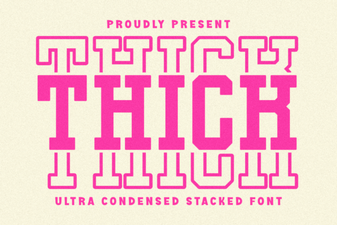 Bold Design with Stacked Typography
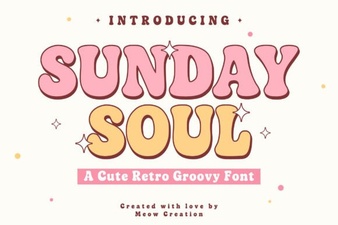 Sunday Soul Font: Creative Projects & Design Ideas
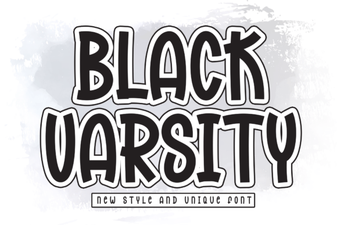 Black Varsity Font: Creative Design & Lettering Projects
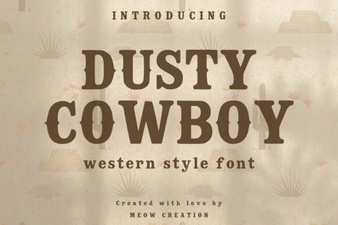 Western Design Inspiration: Dusty Cowboy Font
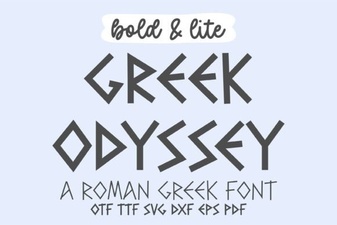 Modern Greek Fonts for Web Designers & Creative Projects
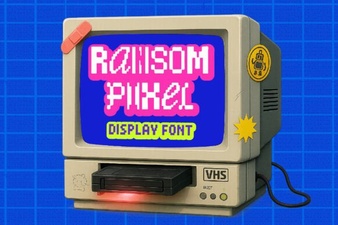 Ransom Pixel Font Design & Creative Use Cases