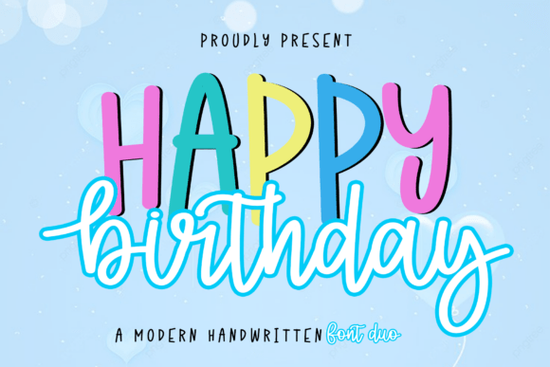
If you design party invitations, event posters, or social media graphics for celebrations, picking the right typeface can make all the difference. The Happy Birthday Duo Font gives you two complementary styles in one package a bold, chunky display sans-serif and a flowing, bouncy script. This combination lets you create layered, colorful text that immediately communicates joy and excitement without extra design work.
What does this font duo actually include?
The set pairs a tall, outlined sans-serif with a playful, interconnected script. The sans-serif acts as a solid, sturdy base perfect for short headlines or names while the script layer adds movement and a handcrafted feel. Together, they produce the kind of custom typography you’d usually need two separate fonts to achieve. Because the script includes ligatures and alternates (accessed easily through PUA encoding), you can vary letter connections and avoid repetitive looks in longer words.
This isn’t just for birthdays. The vibrant, modern handwritten style works well for kids’ announcements, colorful event flyers, digital stickers, and fun social media posts. The duo format also saves time: you can set the sans-serif in one color, stack the script on top in another, and instantly create a multi-layered title that pops.
How can you use this font for real projects?
Print-on-demand sellers often need designs that stand out quickly. With this duo, you could create:
- Birthday invitation templates – layer the script over the sans-serif for a party vibe.
- Personalized greeting cards – the romantic script tones make it suitable for anniversaries or “just because” notes.
- Social media quote graphics – the bold display holds up on mobile screens even with a busy background.
- Digital scrapbooking elements – use the outlined letters as frames or the script as flowing captions.
For event planners, the font’s built-in energy can replace clip art or icons. Simply type a phrase, adjust colors to match your theme, and you have a ready-made header that feels custom.
What if you need a different script style?
While Happy Birthday is designed for celebratory projects, you might want a more whimsical or elegant script for other uses. Alternatives like midnight sparkle duo font offer a glittery, decorative feel, while saturday font gives a relaxed, all-caps handwritten look. For something more fairy-tale, enchanting font provides delicate swashes. dancing font is a playful script that pairs nicely with simple sans-serifs, and i love you font delivers a romantic, calligraphy-inspired style perfect for heartfelt messages.
Why layer fonts instead of using a single one?
Layered typography creates depth and draws the eye. A single font can feel flat, especially on digital screens where attention spans are short. By stacking the script over the display letters, you add texture and visual interest without needing to import textures or shadows. The result looks like a custom illustration, but it’s just text. For print-on-demand products like mugs or T-shirts, this thickness also ensures readability from a distance.
Is the font easy to install and use?
Yes. After downloading, you install the OTF or TTF files on your computer (Windows or Mac). The PUA encoding means you can access all the special glyphs and ligatures directly in software like Adobe Illustrator, Photoshop, Procreate, or Canva. In most programs, simply open the Glyphs panel or Character map to find alternate versions of letters. No extra plugins are required.
How can you get the best results with this duo?
Start with a simple color palette two or three colors that contrast well. For example, use bright pink for the display layer and a darker magenta for the script. Keep the background clean or add subtle patterns. Avoid over-layering more than two colors, as the font’s natural thickness already provides plenty of emphasis.
Also consider spacing. The script flows best when letters are left at default kerning; the display layer can be spaced slightly wider for a modern feel. Test different sizes before finalizing the duo works beautifully at large headlines, but the script’s bouncy baseline might feel crowded at very small sizes.
Practical checklist for using the Happy Birthday Duo Font
Before you start your next project, run through these steps:
- Install both font files – make sure the display and script versions are active in your system.
- Open your design software – choose a canvas size appropriate for your output (social media, print, etc.).
- Type your phrase using the display font first. Use uppercase or mixed case as needed.
- Duplicate the text layer and switch the duplicate to the script font. Adjust size and position so the script aligns roughly over the display letters.
- Change colors for each layer – pick hues that contrast yet harmonize.
- Access alternates (if desired) via the glyph panel to give certain letters swashes or different connections.
- Save a test version – view at actual size and on a mockup to check readability.
- Export as PNG with transparent background for digital use, or as high-res PDF for print.
Once you’re comfortable with the process, you can reuse the same layered technique across multiple designs. The Happy Birthday Duo Font is a versatile tool for anyone making celebration-related graphics, letting you skip the guesswork and get straight to a polished, custom result.
Download Now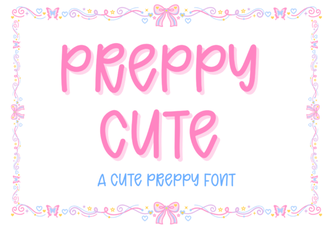 Designing with Elegant Preppy Cute Fonts
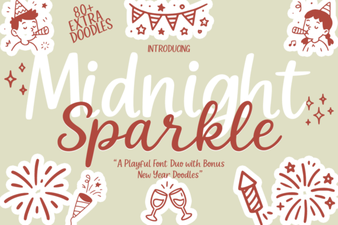 Midnight Sparkle Duo: a Creative Font for Design Projects
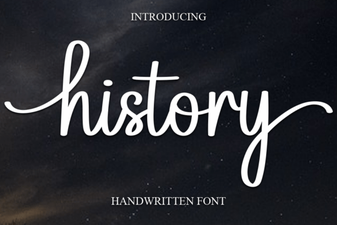 Where Modern Design Draws on History Fonts
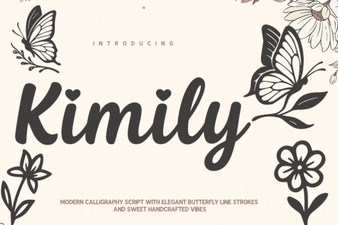 Kimily Font: Design with Clean Geometric Typography
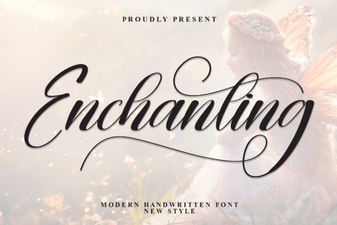 Enchanting Fonts for Creative Design Projects
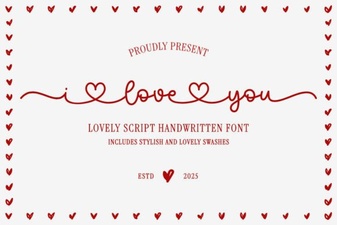 Show Your Love with Free Romantic Fonts