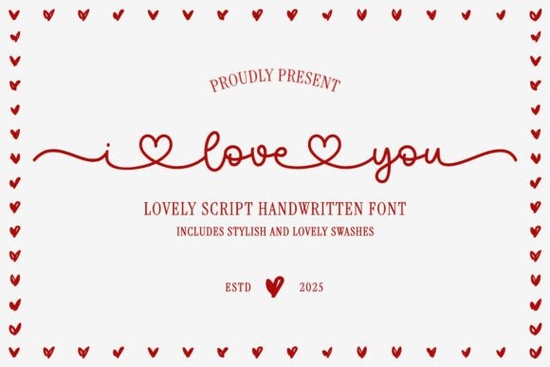
If you’ve ever looked for a script font that feels both elegant and deeply personal, I Love You Font might be exactly what you need. Designed with hand-drawn charm, it works beautifully for wedding invitations, Valentine’s Day crafts, or any project where you want the words to carry emotion. The font connects letters with heart-shaped ligatures and swashes that add a romantic, one-of-a-kind touch.
What makes a handwritten script font feel special?
The secret is in the details. I Love You Font includes alternate swashes that begin and end each character, plus heart-shaped accents that turn ordinary letters into tiny works of art. The letters flow smoothly into each other, forming ligatures that look like they were written with a real pen. This natural, connected style is what makes handwritten scripts so appealing for greeting cards, scrapbooking, and gift tags.
For designers and crafters, having open type features like these means you can customize each word. You can choose between standard letterforms and the decorative heart versions, giving you control over the final look. Whether you’re working on a Cricut project or a digital invitation, these options let you fine-tune the design.
How can you use the I Love You font for different occasions?
While the name suggests romance, this font works for much more than wedding invites. Consider using it for:
- Birthday banners and thank you notes – the warmth of the script adds a personal feel.
- Holiday crafts – from Christmas tags to Thanksgiving place cards, the elegant style fits seasonal themes.
- Print-on-demand products – mugs, T‑shirts, and tote bags with heart‑filled lettering stand out in online shops.
- Embroidery designs – the connected letters work nicely on fabric, especially when digitized properly.
Because the font includes both uppercase and lowercase characters with swashes, you can mix and match to create a balanced composition. The heart‑shaped links between letters are particularly striking when used sparingly – for example, in the middle of a couple’s name or in a key word like “love.”
Which other script fonts pair well with this style?
When building a design kit, it helps to have a few complementary script fonts on hand. Scribblemood Regular Font offers a bouncy, casual handwritten look that contrasts nicely with the more refined I Love You Font. For a more ornate feel, Kimily Font adds extra flourishes that work well in formal invitations. If you need a lighter, airier script, Dancing Font has a playful flow that’s great for children’s party designs. And for projects that call for a vintage touch, History Font brings a classic calligraphy feel.
Pairing a decorative script with a simple sans serif (like one of the many clean fonts available on Creative Fabrica) creates a strong contrast that improves readability.
What should you check before using a script font in your project?
Not all script fonts work the same way across design software or cutting machines. Here are a few things to keep in mind:
- OpenType features – make sure your software (like Adobe Illustrator, Canva, or Cricut Design Space) supports ligatures and swashes. Some programs require a special panel to access alternate characters.
- File format – most modern fonts come as OTF or TTF. Both work well, but OTF often includes more advanced features.
- License coverage – if you plan to sell products with the font, check that your license allows commercial use. Creative Fabrica’s standard license covers most small business and print‑on‑demand needs.
- Test the font with your project text – some scripts look great in short phrases but can become messy in long paragraphs. The I Love You Font is best suited for titles and short messages.
If you’re using a cutting machine like Cricut, remember that script fonts with thin swashes may require a slightly larger size or a cut setting that handles fine details. A good practice is to run a test cut on scrap material first.
Practical checklist before you download
To get the most out of this font (and any script font), follow these quick steps:
- ☐ Confirm that the font includes heart swashes and ligatures (check the product example images).
- ☐ Download the font and install it on your device or upload it to your design software.
- ☐ Type a sample of your actual project text to see how the letters connect.
- ☐ Experiment with alternate characters – many script fonts hide optional swashes in their character map.
- ☐ Pair the font with a simple, readable companion font for balance.
- ☐ If using for physical products, print or cut a test piece before producing a batch.
When you’re ready to start designing, open your favorite tool and try the I Love You Font on a simple card layout. You’ll quickly see how the flowing letters and heart details turn ordinary text into something memorable.
Get Started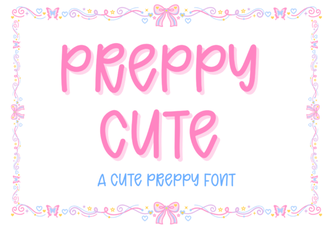 Designing with Elegant Preppy Cute Fonts
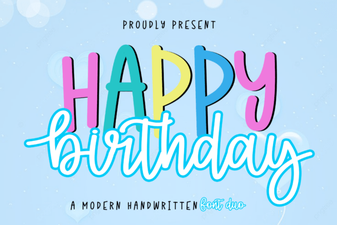 Happy Birthday Duo: Font Designs & Project Inspiration
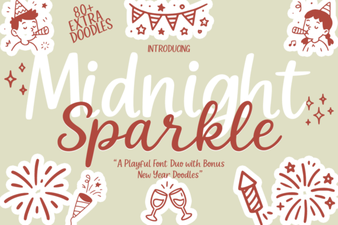 Midnight Sparkle Duo: a Creative Font for Design Projects
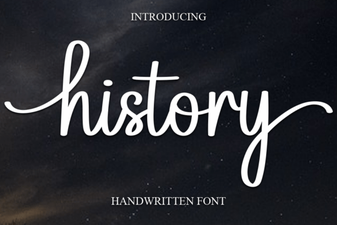 Where Modern Design Draws on History Fonts
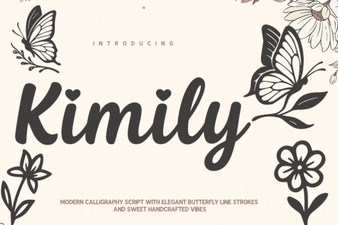 Kimily Font: Design with Clean Geometric Typography
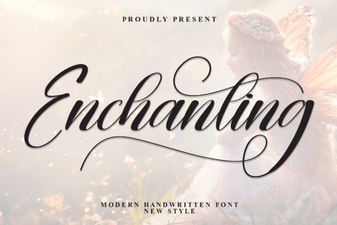 Enchanting Fonts for Creative Design Projects