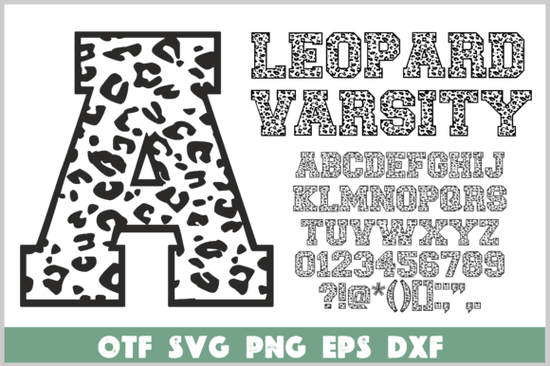
The Leopard Varsity Font is a bold collegiate alphabet wrapped in a fierce leopard print pattern, ideal for print-on-demand sellers, crafters, and small businesses who want to add a wild edge to hoodies, t-shirts, posters, or logos. Each letter carries an animal texture that brings energy and originality without overwhelming your design. Available in formats like OTF, SVG, PNG, EPS, and DXF, it works with most cutting machines and graphic software.
What makes the Leopard Varsity Font stand out?
The combination of classic varsity style with leopard spotting gives you a look that feels both sporty and untamed. It’s not a simple flat font – the texture creates depth, making it perfect for layered vinyl projects or screen prints. Because it comes in vector and raster formats, you can scale it for a small sticker or a full poster without losing quality.
Many designers find it fits well with streetwear and festival gear. If you need a more playful animal theme, you might also like the Cute Dinosaur font for a softer, kid-friendly product line.
Can I use this font with Cricut or Silhouette?
Yes. Because the package includes SVG, PNG, and DXF files, you can upload individual letters directly into Cricut Design Space or Silhouette Studio without hassle. The OTF file handles well for text editing in software like Adobe Illustrator or Affinity Designer, but if you plan to use it with a cutting machine, the single-layer SVGs make weeding straightforward.
For a more delicate hand-lettered look on your next project, consider pairing it with the stitched look of Willow Stitch for contrast – for instance, use the varsity font for headers and Willow Stitch for smaller tags or labels.
What types of products work best with a leopard print varsity font?
- Apparel: Oversized hoodies, baseball tees, and caps – the bold lettering stands out on dark or light backgrounds.
- Accessories: Tote bags, phone cases, and notebooks. The animal print helps it feel trendy without being too loud.
- Posters & digital art: Use the PNG files with transparent backgrounds for social media graphics or print-at-home art.
If you want a more nautical or beachy vibe, the Sandy Wink Sea font could work as a companion for summer collections.
Is the Leopard Varsity Font easy to edit in design software?
Absolutely. The OTF file installs like any standard typeface, so you can type your text and apply the leopard texture automatically. The SVG and EPS versions are great for those who prefer to manipulate individual points or combine letters with other vectors. For quick mockups, the PNG files (with transparent backgrounds) let you drag and drop letters into place without any extra software.
If you need a font that handles well for school-themed projects, the School Doodle Stripe font offers a more doodled, striped alternative while keeping the collegiate spirit.
How does this font compare to other varsity styles without patterns?
Standard varsity fonts rely on shape and shadow to create impact. The Leopard Varsity Font adds a second layer of interest through texture, which can make your product feel more premium and unique. That extra detail works especially well for print-on-demand shops where customers are looking for something different from the usual block letters.
For a rugged, western-inspired twist, take a look at the Rope Cowgirl font – it pairs surprisingly well with animal prints if you want a full Wild West collection.
Practical tip before you start your project
Before cutting or printing, test the font on different coloured backgrounds. The leopard spots can blend into busy patterns, so a solid base works best. For vinyl, use a medium-weight material so the tiny spots inside the letters stay attached during weeding. And always keep a backup of the original files – the multiple formats mean you can re-edit later if you decide to scale your design.
If you’re ready to purchase the Leopard Varsity Font, remember you can use it for both personal and commercial projects under the standard license. Start with one bold word on a mockup and see how the texture transforms the whole piece.
Explore Design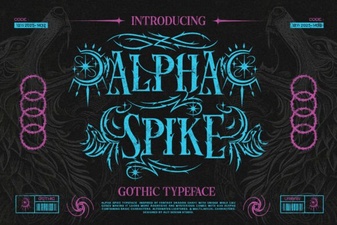 Alpha Spike Font: Design Ideas & Free Download
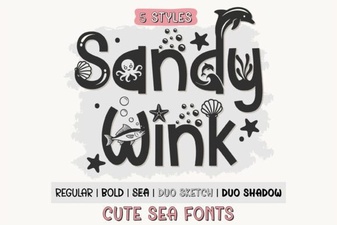 Sandy Wink Font: Creative Projects & Design Ideas
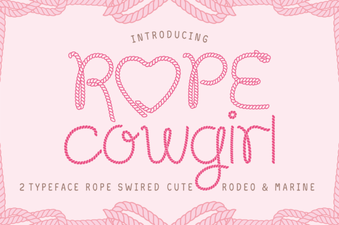 Rope Cowgirl Font: Design and Download Guide
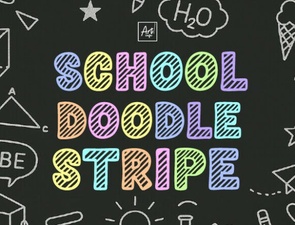 Doodle Stripe Fonts for School Projects
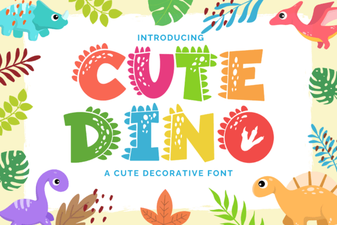 Playful Fonts for Creative Dinosaur Projects
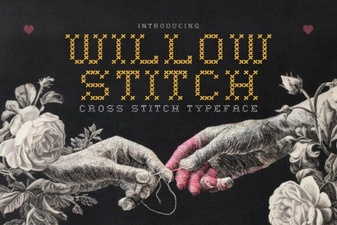 Willow Stitch Font for Embroidery Project Ideas