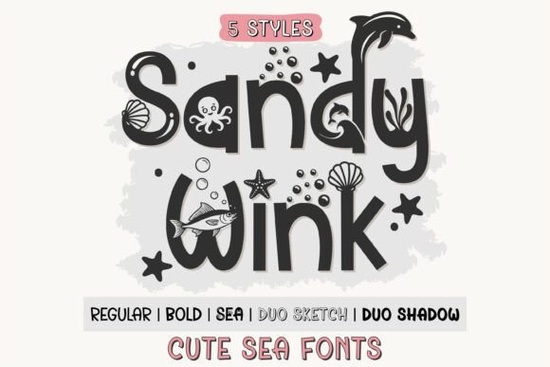
If you design printables, craft with a cutting machine, or sell on print-on-demand platforms, you already know that the right typeface can make or break a project. Picking a font that feels both playful and polished isn't always easy. The Sandy Wink Sea Font family tries to solve that by giving you five distinct styles in one set, so you can mix and match without buying separate files. It is designed to bring a light, cheerful look to anything from children's books to coffee mugs, and it includes extra doodles and decorative elements that save you from hunting for clipart later.
If you have ever struggled to make a layered design work on your Cricut or Silhouette, or wished a single font came with both solid and sketch versions, this family might be worth a closer look. Below, I break down how it actually performs in real projects and where each style shines.
What makes the Sea style different from the other styles?
The Sea style is the real standout here. Instead of just a standard letter set, it includes hand-drawn doodles like seashells, bubbles, starfish, and little sea creatures woven into the characters. That means you can type a word and have tiny ocean elements appear naturally within the letters, which works great for beach party invites, nursery decor, or summer classroom materials. The other four styles are more conventional: Regular gives you a clean baseline, Bold adds weight for headlines, Duo Sketch offers a hand-drawn look, and Duo Shadow is designed to sit underneath the Sketch style for a layered 3D effect. You can use them alone or stack them together without manually aligning each layer.
Compared to other decorative font families like Willow Stitch or Cute Dinosaur, the Sea style gives you built-in illustrations, which means fewer extra design steps when you are working on ocean-themed projects. If you regularly create content for summer camps, swim parties, or marine biology handouts, that alone can save hours of tedious icon placement.
Can I use Sandy Wink Sea Font with Cricut and Silhouette machines?
Yes, absolutely. The font family comes in OTF format, which works on both Windows and Mac, and it installs directly into your system fonts. Once installed, it shows up in Cricut Design Space, Silhouette Studio, Canva, and Procreate without any conversion or extra software. The PUA encoding is the key feature here it means you can access every glyph, swash, and doodle without having to install a separate dingbat font or open a character map each time. In Cricut, just open the character map, select the glyph you want, and it places directly into your canvas. For Silhouette users, the same process works inside the text style panel.
If you have used other layered font sets like Alpha Spike or Leopard Varsity, you will find the Duo Sketch and Duo Shadow combination familiar. The Sketch layer sits on top, and the Shadow layer sits underneath, so you can assign different colors to each part. That makes it easy to cut two different colors of vinyl or cardstock and stack them for a dimensional sign, sticker, or shirt design.
What kinds of projects work best with this font family?
Because the family includes five distinct styles, it covers a surprisingly wide range of use cases:
- Children's book illustrations and classroom materials the Regular and Bold styles keep text readable, while the Sea style adds playful accents without needing extra illustrations.
- Birthday and baby shower invitations the Duo Sketch and Duo Shadow pair well for layered card fronts or envelope details.
- Print-on-demand products think coffee mugs, tote bags, and t-shirts with ocean or summer themes. The sketch style gives a hand-drawn feel that sells well on casual apparel.
- Nursery prints and wall art the Sea doodles work as standalone decorative elements or as part of a name print for a beach-themed room.
- Sticker packs and planner decals the doodles translate well into small-scale cuts for Procreate or Silhouette sticker sheets.
The School Doodle Stripe font takes a different approach with stripe patterns, but Sandy Wink's Sea style gives you more variety in terms of actual objects and creatures, which makes it a better fit for narrative or themed projects.
How do I access the extra doodles and alternates?
PUA encoding means you can access all glyphs directly in most design software. In applications like Adobe Illustrator, Photoshop, or Affinity Designer, you open the Glyphs panel (Window > Type > Glyphs), select the Sandy Wink font, and scroll through. The Sea characters, doodles, and alternate letters show up there. In Canva, you need to use the font in an external app or use Canva's character map workaround, but for Procreate, you can use the Edit > Add Text feature and then switch to the Glyphs panel from the keyboard settings. If you are using Cricut Design Space, you go to the Text tool, choose the font, and then use the Character Map built into the software (Windows only) or the Glyphs panel on a Mac.
One quick tip: test the Duo Sketch and Duo Shadow pair in black and white first to make sure the alignment works for your project. Since both styles are designed to stack, they should match up automatically, but checking before you cut or print saves material.
Practical checklist before you start your first project
- Install the OTF font on your computer (restart your design software if it does not appear immediately).
- Open the Glyphs panel in your software to browse the Sea doodles and alternates.
- Test the Duo Sketch and Duo Shadow pair as separate layers to verify alignment.
- Use the Bold style for short headlines and the Regular style for longer body text to maintain readability.
- If you are cutting with vinyl, assign different colors to the Sketch and Shadow layers for a dimensional effect.
If you typically work with layered font sets and want a single download that covers multiple project types, Sandy Wink Sea Font gives you a solid mix of readable letterforms and decorative extras without the hassle of managing separate files. Start with a simple project like a name tag or a greeting card to get a feel for how each style behaves, then scale up to mugs, shirts, or classroom decor once you are comfortable with the layering and glyph selection.
Explore Design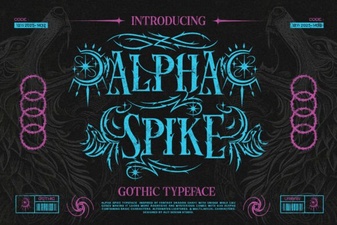 Alpha Spike Font: Design Ideas & Free Download
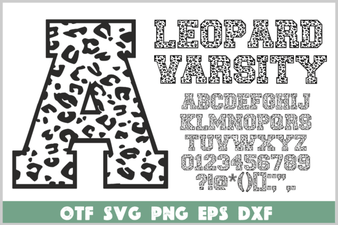 Leopard Varsity Font for Sports & Creative Projects
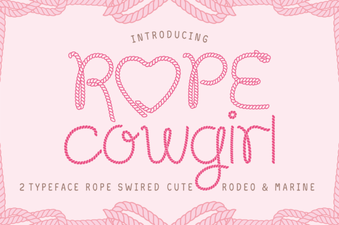 Rope Cowgirl Font: Design and Download Guide
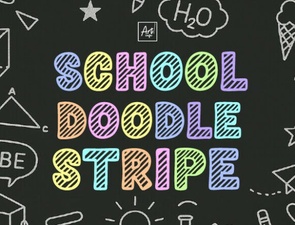 Doodle Stripe Fonts for School Projects
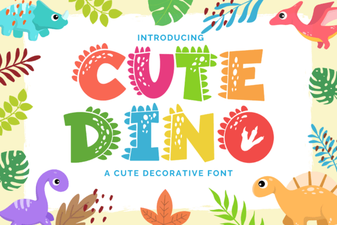 Playful Fonts for Creative Dinosaur Projects
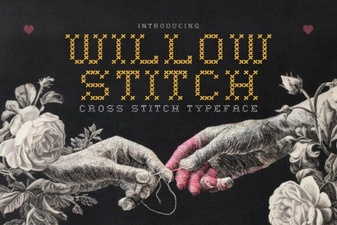 Willow Stitch Font for Embroidery Project Ideas