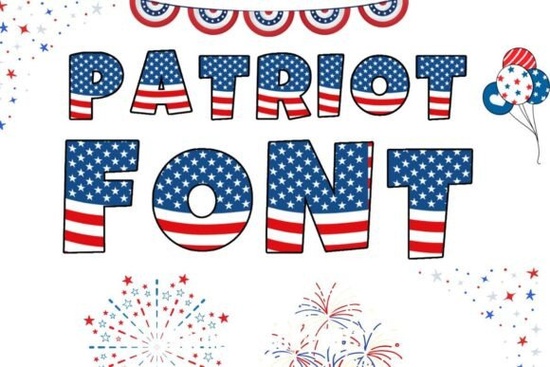
If you sell print-on-demand products or design your own party decor, you know that a themed typeface can save hours of work. The Patriotic Font is an OpenType-SVG color font that comes with letters and numbers already styled in red, white, and blue. That means you don't have to layer colors or swap fills the flag-like treatment is built right into each character.
Can I use this font with Cricut and Silhouette?
This is the first question most crafters ask, and the answer depends on which machine you own.
- Silhouette (Studio): Works. The OpenType-SVG format is supported natively, so you can type directly into your design and see the colors.
- Photoshop, Illustrator & Canva Pro: Works without extra steps. Just install the font and select it from the type menu.
- Inkscape: Works. Perfect for designers who prefer free, open-source tools.
- Cricut (Design Space): The standard OTF and TTF files are not compatible with Cricut because Design Space doesn't support OpenType-SVG color fonts. However, you can still use this design by importing a PNG or SVG export from another program like Illustrator or Photoshop into your Cricut project.
If you need a quick workaround for Cricut, open the font in software that supports it, type your word, export the result as a transparent PNG or SVG, and upload that into Design Space. It takes an extra minute but gives you the same colorful result.
What kind of projects actually look good with a red, white, and blue font?
A bold color font like this one works best when the text is the focal point. Because the letters already carry the flag palette, you don't need busy backgrounds or extra graphics.
Popular projects for this type of typeface include:
- T-shirts and hoodies for 4th of July parades or family reunions
- Mugs and tumblers with short phrases like "Land of the Free" or "USA"
- Party invitations and banners for Memorial Day or Labor Day cookouts
- Veterans Day graphics for social media posts or thank-you cards
- Classroom decor or learning materials for lessons about American history
The compact, bold design means even long words stay readable at smaller sizes, which is useful for mugs and koozies where space is tight.
How do OpenType-SVG color fonts work in practice?
If you're used to standard digital fonts that only carry black or gray outlines, color fonts feel different. Each letter contains its own fill and stroke settings inside the font file itself. That's useful because you don't have to manually recolor every character, but it also means you can't simply change the color by clicking a swatch the colors are part of the font's design.
In most cases, you'll want a white or very light background so the red and blue letters pop. Dark backgrounds can make the white parts of the letters disappear, so test a short sample word before you commit to a full design.
Is this font only for experienced designers?
Not at all. If you know how to install a font on your computer and select it from a drop-down menu inside your design software, you have all the skills you need. The product downloads as a ZIP file that includes the OpenType-SVG font, so you just unzip, install, and start typing.
For those who sell on print-on-demand platforms like Redbubble, Printful, or Teespring, this kind of ready-colored font helps you upload new designs faster. Instead of setting up text layers and clipping masks for every color, you type your phrase, adjust the size, and export.
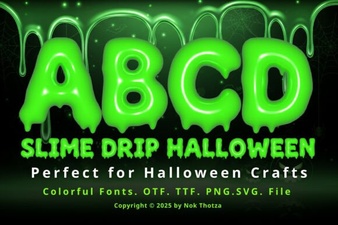
If you design for multiple holidays, you might also like festive typefaces like the Grinchmas font for winter projects or seasonal options like the slime drip Halloween font for spooky season. Each one follows the same color-font format, so once you learn the workflow, you can reuse it across different themes.
For even more American-themed designs, you can check out related patriotic font options that use different styles and lettering approaches.
Quick checklist before you download
- ✅ Confirm your software supports OpenType-SVG (Photoshop, Illustrator, Silhouette, Inkscape, Canva Pro)
- ✅ If using Cricut, plan to export from another program as PNG or SVG
- ✅ Test the font on a light background first the red and blue contrast best that way
- ✅ Short phrases work better than long sentences for t-shirts and mugs
Next step: Download the ZIP file, install the font on your computer, and type a two-word phrase like "USA Strong" to see how the colors render in your preferred software. That five-minute test will tell you everything you need before you build a full project around it.
Download Now A Grinchmas Font for Festive Diy Projects
 Creative Halloween Projects Using Slime Drip Font
 Kouti Font: Modern Design and Usability Ideas
 The College Abcd Font Design Inspiration Guide
 Designing with Elegant Preppy Cute Fonts
 Happy Birthday Duo: Font Designs & Project Inspiration