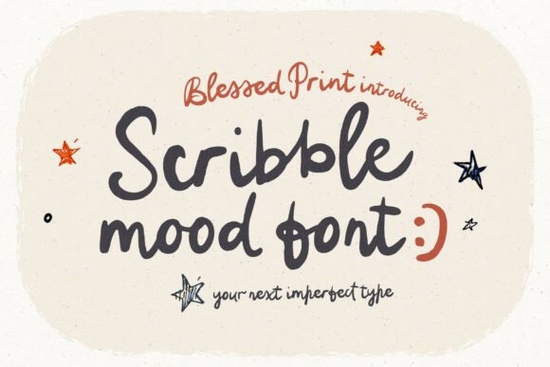
If you've ever tried to make a design look playful and imperfect, you know that most fonts are just too clean. That's where the Scribblemood Regular Font comes in. It's a quirky handwritten font that feels like someone actually doodled it on paper messy, warm, and full of personality. With 486 glyphs, alternates, and even a stack of childlike food and wedding icons, it's built for designers and crafters who want to inject life into their projects without losing readability.
What makes Scribblemood different from other handwritten fonts?
Most handwritten fonts are either too neat (like calligraphy) or too chaotic (like scratchy scripts). Scribblemood lands somewhere in the sweet spot: it looks authentic but still works for real projects. The secret is in the automatic alternates. Type a number 1 after a letter (like A1 or a1) and it swaps in a different letter shape. The last letter of each word also changes automatically, mimicking the natural inconsistency of human handwriting. Ligatures and stylistic alternates give the script a bouncy rhythm that feels organic, not robotic.
On top of that, you get doodle extras: checkmarks, arrows, banners, and even romantic elements like hearts and rings. There are also decorative Roman numeral forms (type I=, II=, etc.) and a full set of childlike food icons think pizza, cake, ice cream, and more. Everything is PUA encoded, so it works in Canva, Cricut Design Space, and any design software that supports OpenType features.
Who should use this font?
- Wedding stationery designers who want a playful, hand-drawn feel for invites, signage, and seating charts. The romantic doodles and imperfect script are perfect for rustic or whimsical themes.
- Cricut and DIY crafters making vinyl decals, T-shirts, cards, or party decorations. The icons and alternates make it easy to add unique touches without extra graphics.
- Packaging and branding designers for small food businesses, bakeries, children's products, or anything that needs warmth and humor.
- Social media content creators who want quote images that feel personal and hand-lettered.
- Children's book illustrators and teachers who need a font that looks like a child's doodle but remains legible.
- Greeting card and stationery designers looking for a messy, funky script that stands out from the crowd.
How do I use the alternates and icons?
It's simpler than it sounds. In any OpenType-supporting app (like Adobe Illustrator, Affinity, or Canva Pro), just open the Glyphs panel to browse all characters. The automatic alternate feature is on by default in most software. For specific letter variants, follow the formula: type the letter then a 1 (e.g., B1 gives a different B shape). Ligatures are automatic when you type certain letter pairs. The food icons are accessible directly from the keyboard just check the font's character map or use a PUA viewer. For Cricut users, the font works exactly the same way; just install it, open it in the text tool, and use the extra characters from the Character Map on Windows or Font Book on Mac.
How does it compare to other script fonts at Creative Fabrica?
If you need a font that's equally playful but has a different vibe, there are plenty of options. For a more elegant, handwritten duo, try the Midnight Sparkle Duo Font. If you prefer a casual, slightly edgy script, the Salty Dish Line Font might work better. For a super cute and neat handwritten style, look at the Preppy Cute Font. And if you want a classic, everyday script with a modern twist, the Saturday Font is worth checking out. For a romantic, heart-filled script, the I Love You Font pairs nicely with Scribblemood's wedding icons.
What kind of projects work best with Scribblemood?
- Playful wedding invites and save-the-dates – combine the script with the included heart and ring icons.
- Bakery and café menus – use the food doodles alongside the script for a hand-drawn feel.
- Social media quote graphics – the automatic last-letter alternates give each post a unique look.
- Children's party decorations – banner, checkmark, and arrow icons make DIY banners and flags easy.
- Labels and tags for homemade products – the imperfect script adds authenticity.
- Bullet journal and planner stickers – doodle extras like stars, hearts, and food icons save drawing time.
Practical tips for getting the best results
Turn on OpenType features in your software (usually under the Character panel). For Canva, open the Glyphs panel from the 'Effects' menu. Experiment with the Roman numeral forms for numbering they add an elegant decorative touch. Mix different alternate letters to create visual variety within the same word. Use the doodle icons sparingly to accent your design rather than overwhelm it. Because the font already has a lot of character, keep the rest of your layout simple solid colors or light textures work best.
Next step: Download the Scribblemood Regular Font and try it in a small project like a greeting card or a social media post. Play with the automatic alternates type a few words, then add 1 after the first letter of each word to see how the look changes. Pair it with a simple sans-serif font for contrast, and you'll quickly see why this quirky script is so popular for handmade-style designs.
Learn More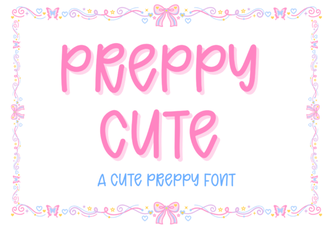 Designing with Elegant Preppy Cute Fonts
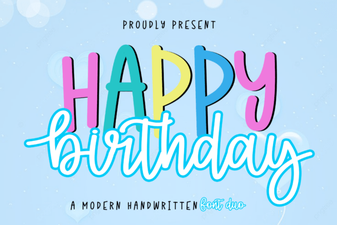 Happy Birthday Duo: Font Designs & Project Inspiration
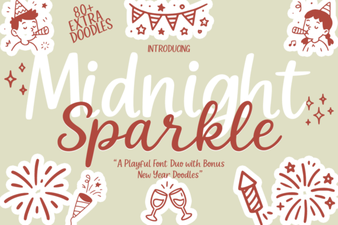 Midnight Sparkle Duo: a Creative Font for Design Projects
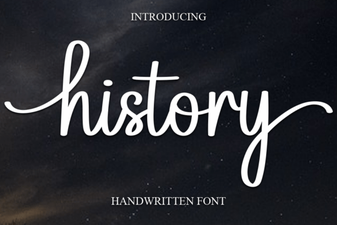 Where Modern Design Draws on History Fonts
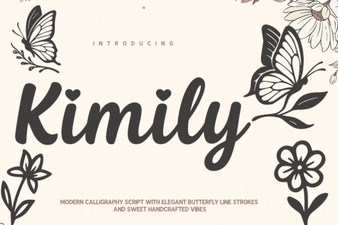 Kimily Font: Design with Clean Geometric Typography
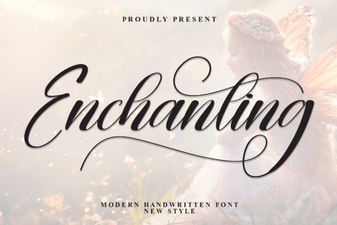 Enchanting Fonts for Creative Design Projects